
We've added proofread mode to Nani Translate, one of the most requested features.
You can use it to:
- Catch typos and grammatical mistakes
- Fix awkward or unnatural phrasing
- Adjust the tone or make small tweaks to your writing
How it works
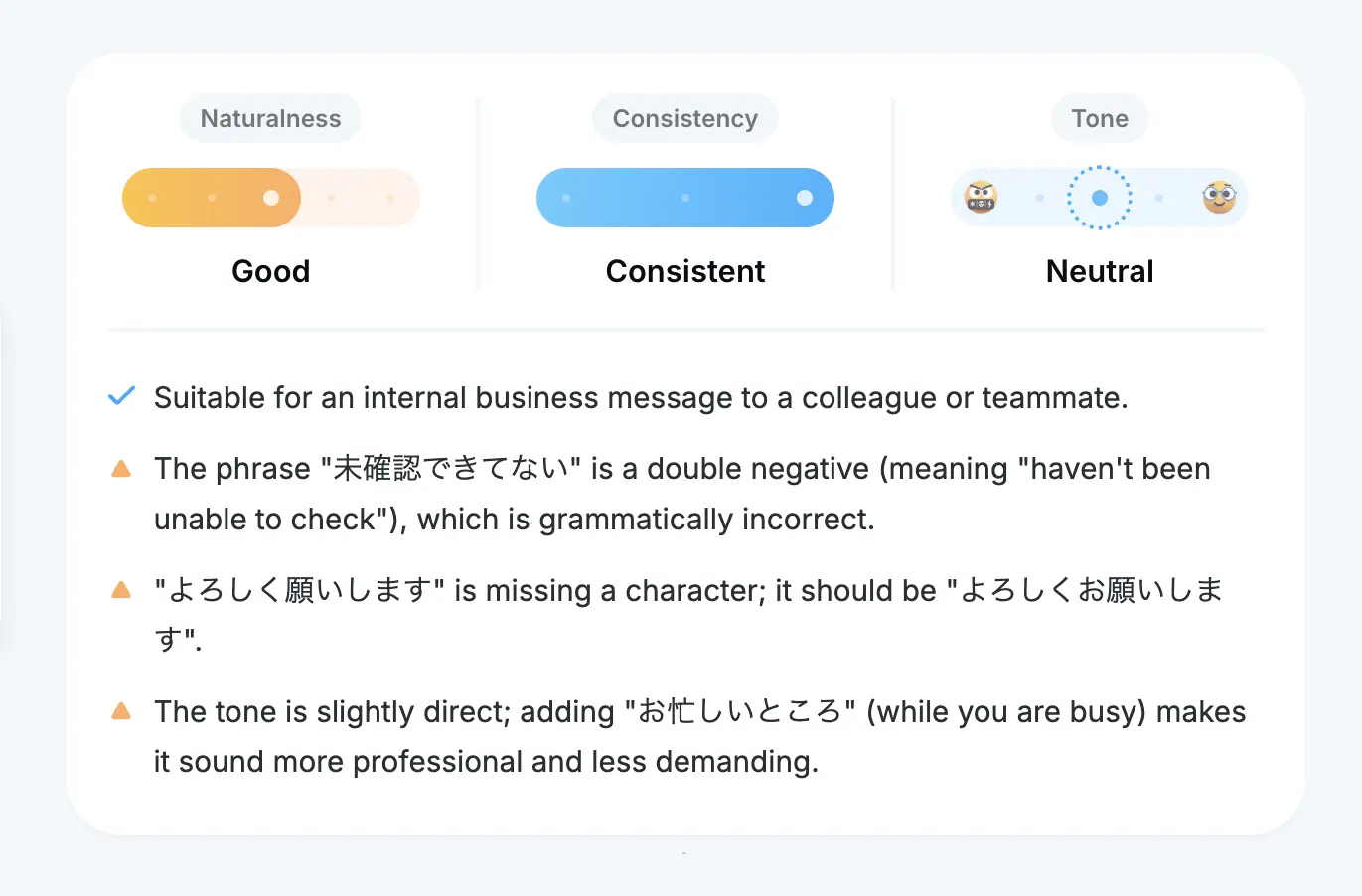
When you submit text, you'll first see a summary of the results. It tells you whether your text reads naturally and gives you a tone evaluation. You can quickly check:
- If the text is too casual or too formal for the context
- If there's an awkward mix of casual and formal language
Suggested fixes and alternatives
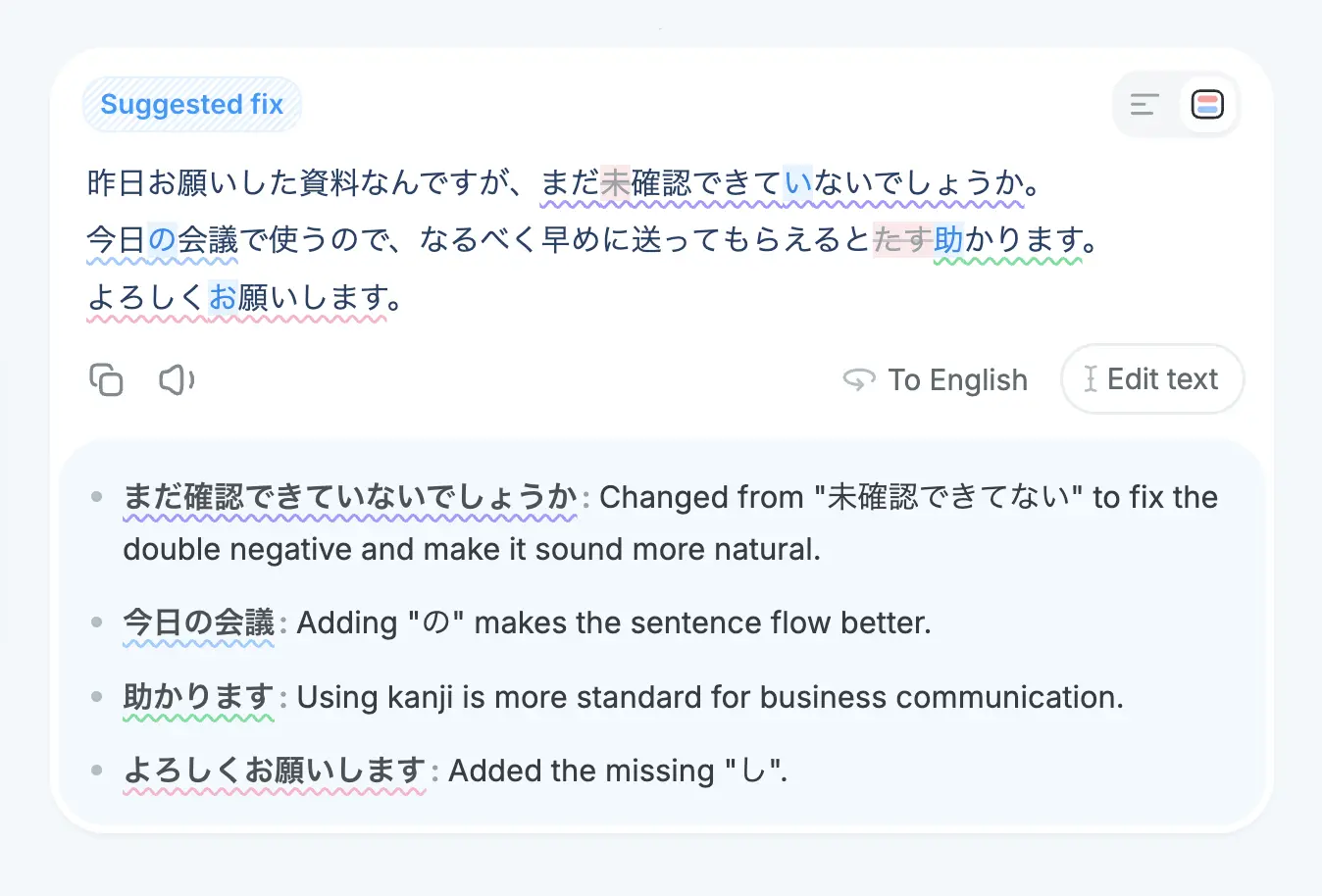
If something needs fixing, you'll see specific suggestions. Even when the text is fine as is, you'll often get alternative phrasings worth considering.
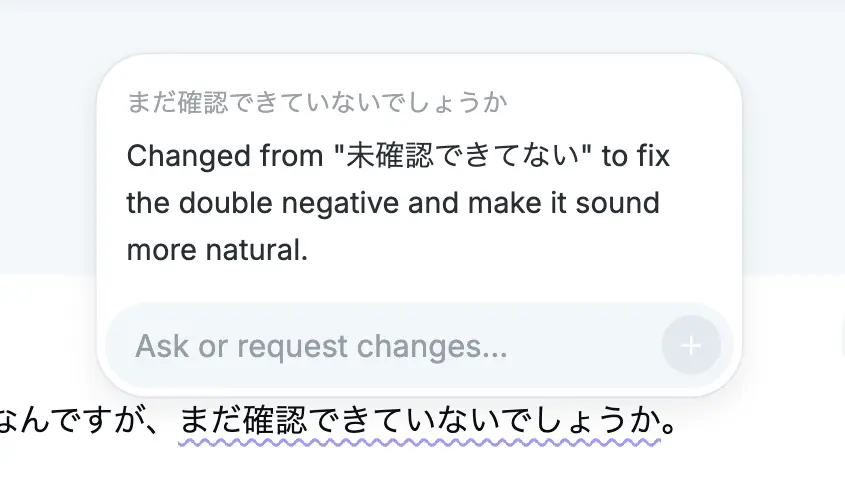
Changes are highlighted so you can spot differences quickly. For longer texts, underlined sections point out specific areas with brief explanations.
How to use proofread mode
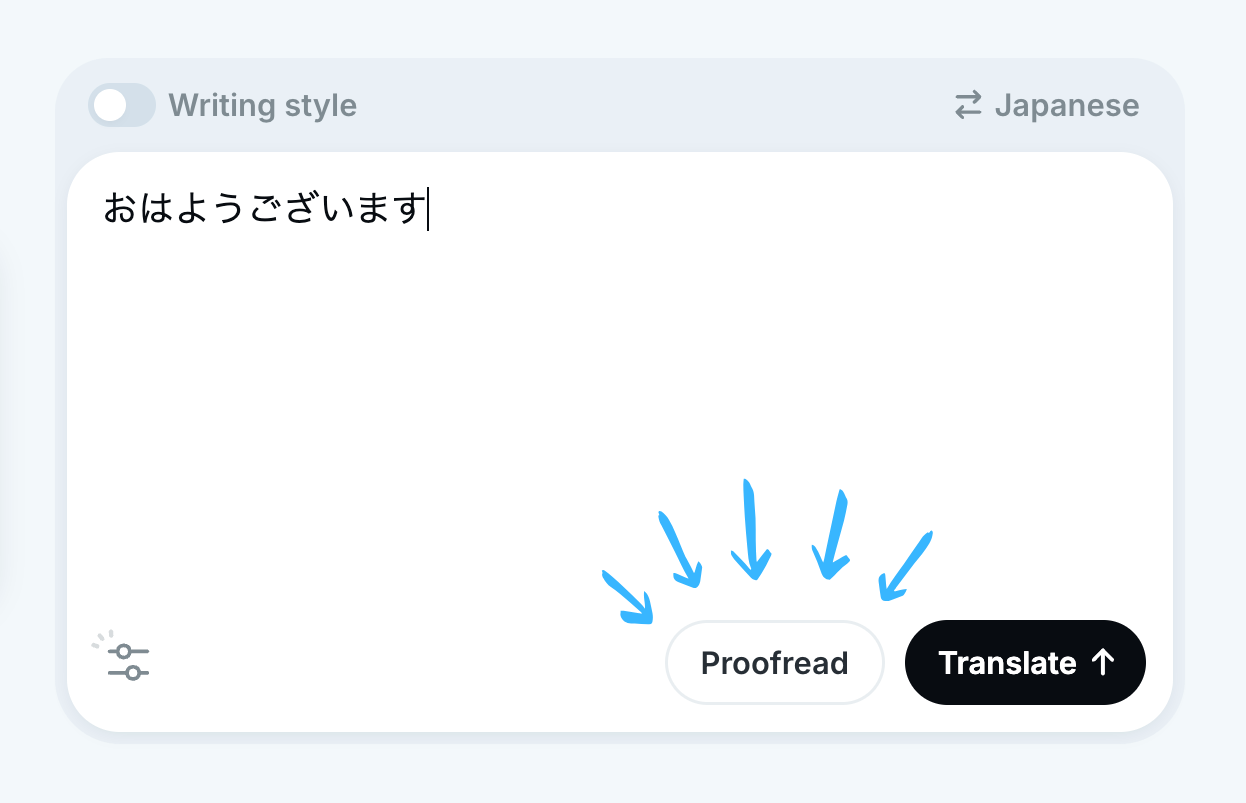
Type your text as you normally would, then hit the "Proofread" button.
Keyboard shortcut for proofreading
If you're on a computer, shortcuts are the fastest way to start proofreading.
- Mac:
Cmd+Shift+Enter - Windows / Linux:
Ctrl+Alt+Enter
Just add Shift or Alt to your usual Enter shortcut and you're proofreading instead of translating.
Select text and proofread with a shortcut (desktop apps)
On the Windows or macOS app, you can set up a dedicated proofreading shortcut in settings.
Select any text in another app and press the shortcut to start proofreading right away.
Adjust the tone after proofreading
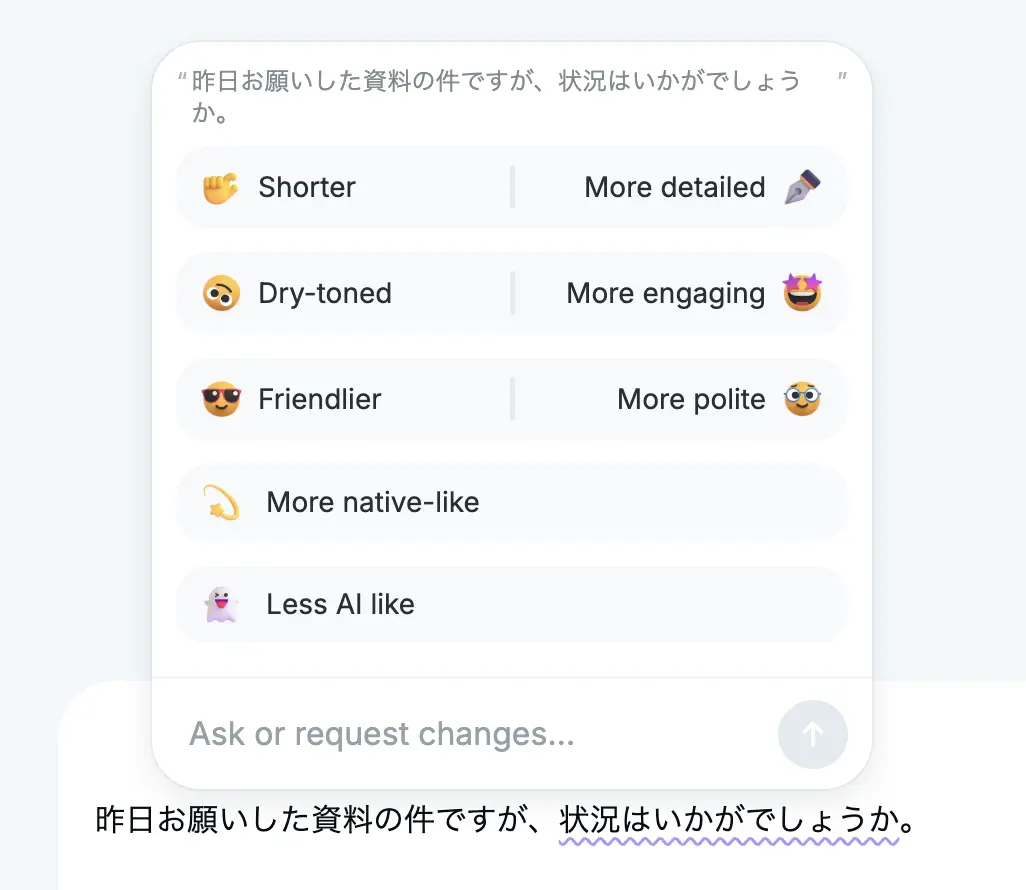
After getting suggestions, you can tweak the tone with quick buttons like "Friendlier" or "More polite."
You can also select specific parts of the text and adjust just those sections.
Proofread again
Made some manual edits after proofreading? Run it again to double-check.
Add more content
Want to insert a sentence somewhere? Use the "Add text" button. If you're working on text in another language, you can type what you want to add in English and it'll be translated and inserted into the text for you.
Proofreading your own language
Proofreading mode isn't just for foreign languages. You can use it to check English text too. It's useful for a quick review before sending an email or chat message, just to make sure there are no typos or odd phrasing.
Is it free?
Proofreading mode is available on the free plan. Paid plans let you proofread longer texts.
| Plan | Character limit |
|---|---|
| No account | 600 characters |
| Free | 800 characters |
| Pro / Team | 3,500 characters |
We're considering raising the limit for Pro / Team plans in the future
Proofreading counts toward your plan's usage, same as regular translations.
If you haven't tried Nani Translate yet, give it a try.