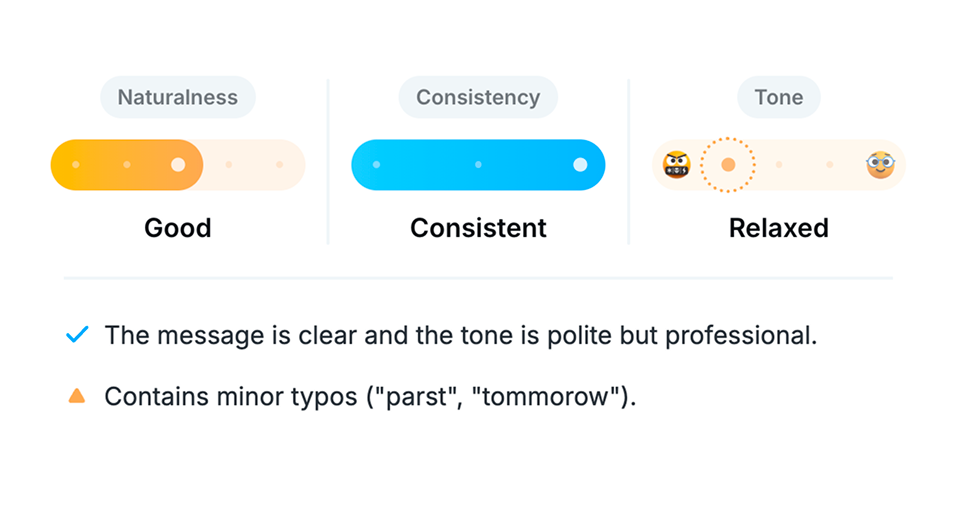
See a quick proofreading summary
See how natural the writing feels along with a tone check, so you can tell at a glance whether it needs revision.
Your input and results are saved on your device and are not used for other purposes. Learn more
See how natural the writing feels along with a tone check, so you can tell at a glance whether it needs revision.
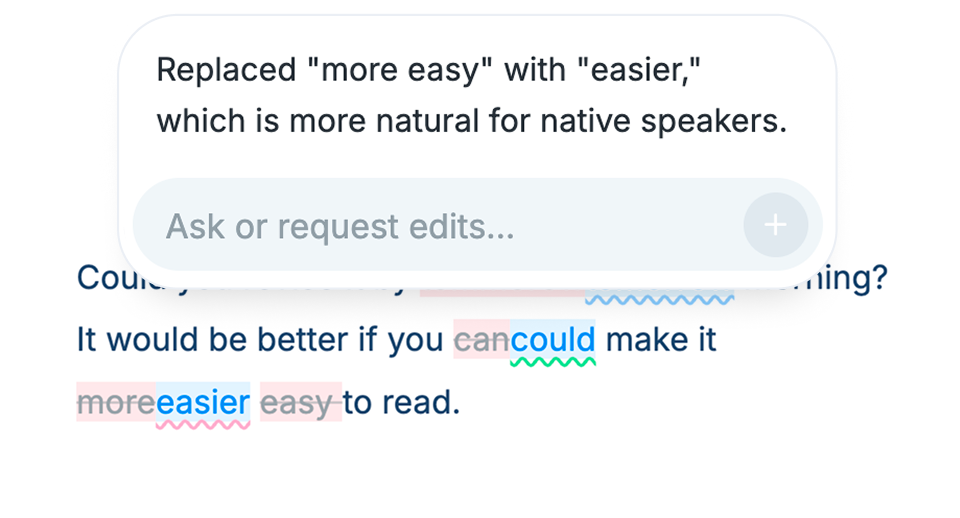
Changes are highlighted so edits are easy to follow, and longer texts may include underlined notes that explain what to fix and why.
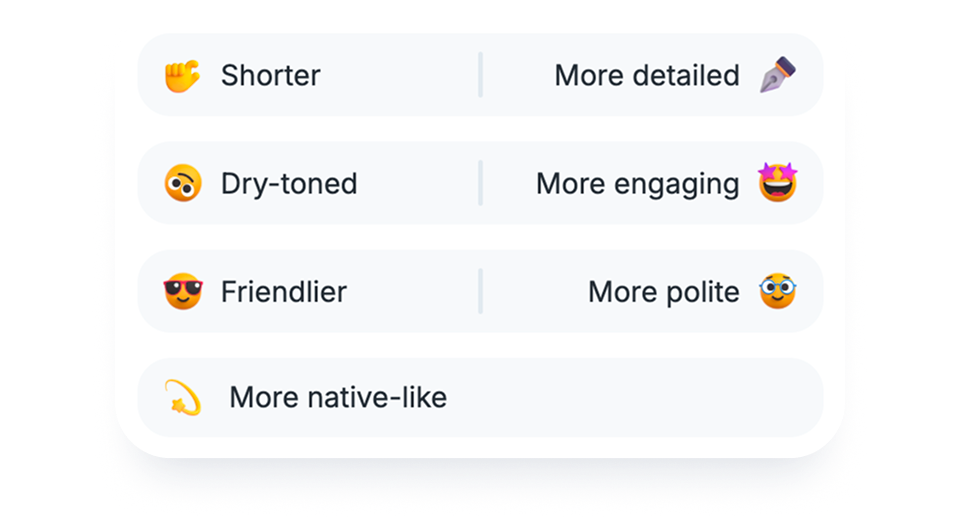
Tap options like “Friendlier” or “Matter-of-fact” to shift the tone, and use “Add text” when you want the AI to add an extra sentence to the original text.
Quickly catch typos and overlooked errors before sending emails or documents.
With Desktop app, you can quickly proofread text in any app using a shortcut.
Your proofreading results stay on your device, so you can revisit them anytime.
Translation mode turns your text into another language. Proofreading mode keeps it in the same language and checks for typos, grammar issues, awkward phrasing, and tone.
In proofread mode, you can review suggested fixes, adjust the tone with AI, or rewrite only the selected part. It works for both foreign-language writing and quick checks in your native language.
Translation data and history are stored on your device, not on our servers. Our staff do not view your input or output.
To provide translation and other features, we send the necessary content to external AI services. We mainly use OpenAI and Google models. For some purposes, we also use other services, but only those that explicitly state that your input and output are not used for training and are not retained after processing.
OpenAI and Google may temporarily store your input and output for safety purposes, but they do not use them to train AI models.
No. On every plan, including Free, neither Nani nor its AI providers use your input or output for model training. We also don't use it to improve our service.
Yes. The free plan includes both translation and proofreading, with limits on usage count and text length. Choose a paid plan for higher limits or more advanced AI models.
View pricing plans →Yes, the Team Plan is available. With the Team Plan, you can manage members and billing through a dedicated dashboard, and share usage across the entire team.